Experience the foundational colors of the Moment brand with the Element 1.0 LUT Pack. These five professional LUTs were designed by Jack Krzysik to bring unique, cinematic tones to a wide variety of filming scenarios. This pack is engineered to convert your LOG footage into visually engaging, high-end images with just a few simple, quick adjustments.
Pack Contents
The Moment Color Profiles
LUT ONE - GRUNGE: A film-inspired look with gritty green undertones in the shadows. This is a versatile tool designed to add character to a wide range of footage.
LUT TWO - NEON: A high-intensity profile specifically crafted for low-light and night environments. Designed for city scenes, it delivers a sharp, futuristic aesthetic.
LUT THREE - DAWN: Optimized for the blue hour and golden hour, this profile emphasizes the natural purple, magenta, and orange tones found at sunrise and sunset.
LUT FOUR - TEAL: Moment’s unique take on the classic teal and orange look. This is a highly adaptable LUT designed to provide cinematic depth across various shots.
LUT FIVE - SIMPLICITY: A clean, refined profile compared to the more stylized options. This is designed to provide a polished, natural look on any footage.
Compatibility Moment LUTs are compatible with Adobe Premiere, Final Cut Pro, DaVinci Resolve, Photoshop, and any other software that utilizes 3D LUTs (.cube files).
How to Use the Moment LUT Pack Because these profiles are highly stylized, they may require minor exposure or white balance adjustments to achieve the perfect look for your specific clip. To see exactly how Jack Krzysik integrates these into the Moment workflow and how to get the best results, please view the walkthrough on the Moment YouTube channel linked below.
Installing these LUTs is a straightforward process, though techniques vary by software. For specific installation steps, a quick search for your specific editing program and LUT installation will provide the latest guides.
Walkthrough Tutorial: https://youtu.be/7W_okDATccs
Experience the foundational colors of the Moment brand with the Element 1.0 LUT Pack. These five professional LUTs were designed by Jack Krzysik to bring unique, cinematic tones to a wide variety of filming scenarios. This pack is engineered to convert your LOG footage into visually engaging, high-end images with just a few simple, quick adjustments.
Pack Contents
The Moment Color Profiles
LUT ONE - GRUNGE: A film-inspired look with gritty green undertones in the shadows. This is a versatile tool designed to add character to a wide range of footage.
LUT TWO - NEON: A high-intensity profile specifically crafted for low-light and night environments. Designed for city scenes, it delivers a sharp, futuristic aesthetic.
LUT THREE - DAWN: Optimized for the blue hour and golden hour, this profile emphasizes the natural purple, magenta, and orange tones found at sunrise and sunset.
LUT FOUR - TEAL: Moment’s unique take on the classic teal and orange look. This is a highly adaptable LUT designed to provide cinematic depth across various shots.
LUT FIVE - SIMPLICITY: A clean, refined profile compared to the more stylized options. This is designed to provide a polished, natural look on any footage.
Compatibility Moment LUTs are compatible with Adobe Premiere, Final Cut Pro, DaVinci Resolve, Photoshop, and any other software that utilizes 3D LUTs (.cube files).
How to Use the Moment LUT Pack Because these profiles are highly stylized, they may require minor exposure or white balance adjustments to achieve the perfect look for your specific clip. To see exactly how Jack Krzysik integrates these into the Moment workflow and how to get the best results, please view the walkthrough on the Moment YouTube channel linked below.
Installing these LUTs is a straightforward process, though techniques vary by software. For specific installation steps, a quick search for your specific editing program and LUT installation will provide the latest guides.
Walkthrough Tutorial: https://youtu.be/7W_okDATccs

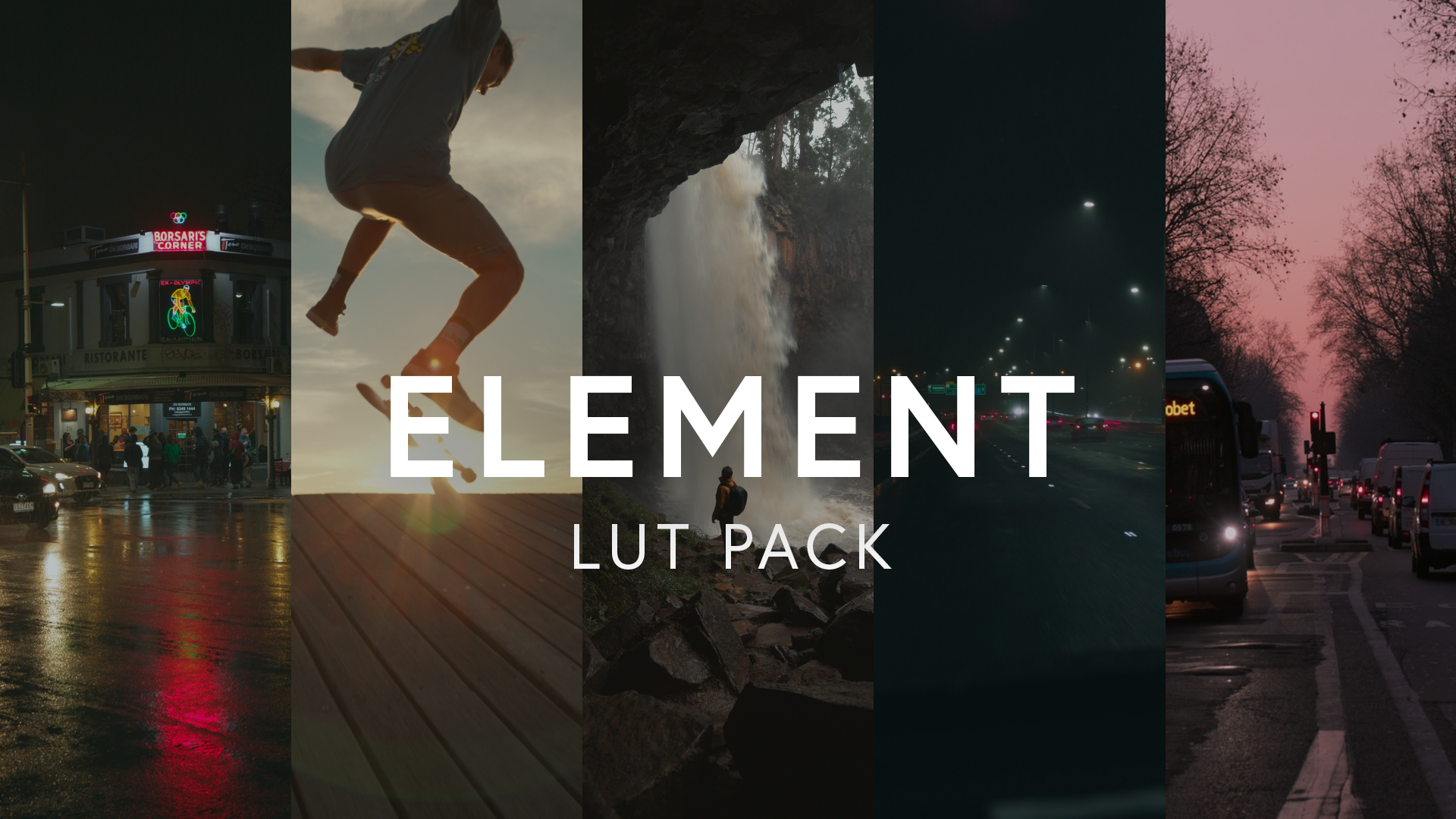 Image 1 of 9
 Image 2 of 9
 Image 3 of 9
 Image 4 of 9
 Image 5 of 9
 Image 6 of 9
 Image 7 of 9
 Image 8 of 9
 Image 9 of 9